
ARTICLE 03 · 15 MIN READ
API-First Development for SaaS: Contracts, Security, and Scale
A SaaS product rarely becomes difficult to maintain because it couldn't handle a million users on day one. The real problem usually appears much earlier. Every new feature becomes harder to build. The frontend depends on backend implementation details. Integrations require custom work. Business rules appear in multiple places.
Eventually, changing one part of the product starts breaking another. That's an architecture problem.
API-first development helps prevent this by creating clear boundaries between the parts of your product before complexity starts accumulating. But API-first doesn't mean building twenty microservices for an MVP. It means designing stable interfaces so your SaaS product can change without everything becoming tightly coupled.
What Is API-First Development?
API-first development means prioritizing consumer needs, the contract, and the API's lifecycle as first-class parts of product design — instead of treating the API as something bolted on after the application is already built. Designing the contract before writing the full implementation is one practical way to do this; it doesn't mean no prototyping or technical spikes can happen before the contract is finalized. Instead of tightly coupling your frontend to backend implementation details, you create a clear interface: Web App → API → Business Logic → Data.
Having a REST endpoint doesn't, by itself, make a product API-first — plenty of REST APIs are still designed as an afterthought. This article uses REST/HTTP examples because they're common and concrete, but API-first as a principle isn't limited to REST; the same thinking applies to GraphQL, gRPC, or event-driven interfaces.
Later, other clients can use the same capabilities: mobile apps, partner integrations, internal tools, and AI agents. The API becomes a contract between different parts of the system. The implementation behind that contract can change without forcing every client to change with it. You might replace a database, restructure backend code, or change an external provider — if the API contract remains stable, the rest of the product doesn't necessarily need to know.
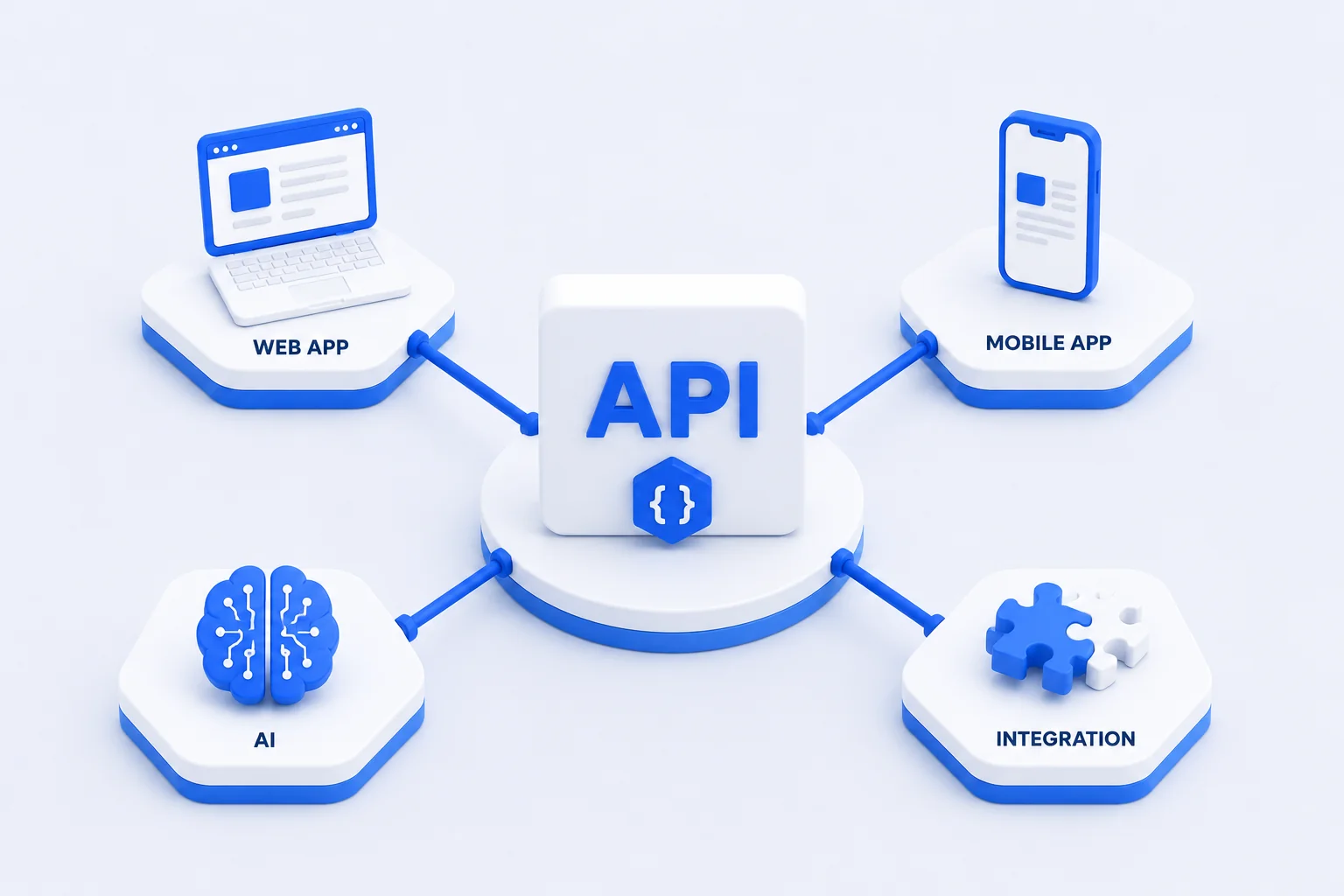
API-First Doesn't Mean Microservices
This distinction matters. API-first is a design principle. Microservices are an architectural decision. You can build an API-first SaaS application as a well-structured monolith. For many early-stage products, that's exactly what makes sense. A practical architecture could be: Web / Mobile → Application API → Modular Business Logic → Database + External Services. You still get clear boundaries without introducing the operational complexity of distributed systems. Start with clear boundaries, not maximum complexity.
Clear API contracts help separate responsibilities between clients and the backend, and between modules inside the backend — but a contract by itself doesn't guarantee capacity, speed, or scalability. Whether the system can actually handle more load still depends on evaluating real bottlenecks, database performance, and traffic patterns; good boundaries make that evaluation easier, they don't replace it.
Splitting a system into microservices can isolate failures — one service crashing doesn't necessarily take down another. That benefit is conditional, though: if services share a database, a message queue, or make synchronous calls into each other for every request, a failure or slowdown in one can still cascade into the others. Isolation has to be designed deliberately; it isn't automatic just because the code lives in separate deployables.
Designing the Contract: A Six-Step Process
"Design the contract before the code" is a habit, not a single step. Here's what it looks like in practice, continuing with a subscription-management example.
- 1. Identify consumers and one business workflow. Who calls this API — the web app, a partner, an AI agent? Pick one concrete workflow, like canceling a subscription, rather than designing the whole surface at once.
Output: a named workflow and its consumers. - 2. Define requests, responses, errors, and access rules. What does the client send? What does success return? What can go wrong, and what should each failure look like? Who is allowed to call this?
Output: a written contract — even in plain English or JSON examples — before any server code exists. - 3. Describe the HTTP API with OpenAPI. Formalizing the contract in the OpenAPI Specification makes it machine-readable: consumers, mock servers, and documentation tools can all work from the same source. OpenAPI describes the contract — it doesn't enforce your authorization rules or guarantee security on its own.
Output: an OpenAPI document describing the workflow's endpoints. - 4. Review examples and mocks with consumers. Walk through concrete request/response examples with whoever will build against this API. A mock server built from the OpenAPI document lets frontend or partner teams start building before the backend is finished.
Output: consumer sign-off, and a running mock. A mock speeds up integration work, but it isn't a substitute for real integration testing against the actual implementation. - 5. Implement and verify contract conformance. Build the endpoint, then test that the real implementation actually matches the contract — status codes, error shapes, and field names included.
Output: a working endpoint plus tests that check it against the documented contract. - 6. Monitor usage and manage changes. Track which consumers call which endpoints, so you know who's affected before you change something.
Output: usage visibility that feeds into the versioning process described later in this article.
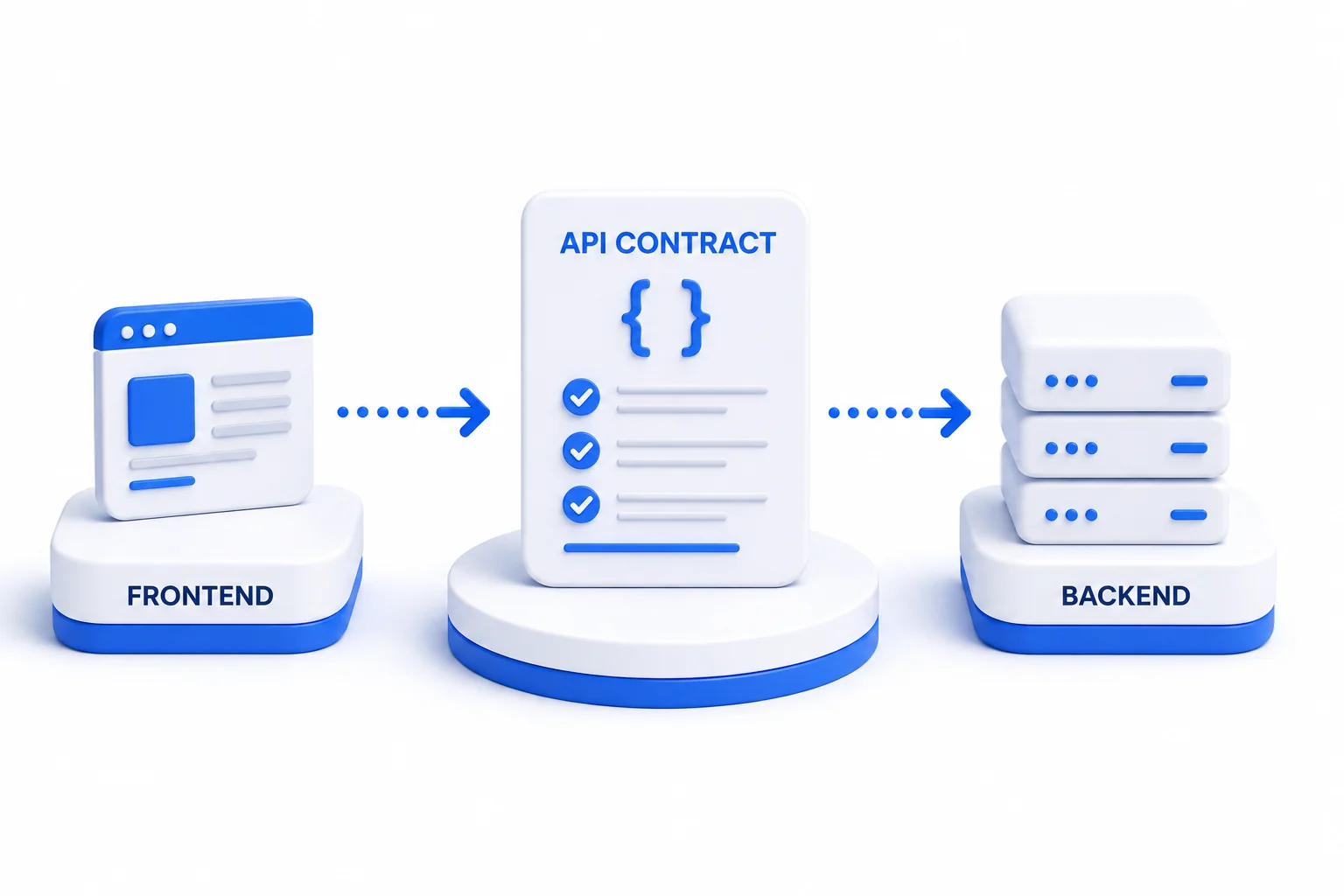
A Worked Example: Canceling a Subscription
Continuing the subscription example, here's what a defined contract for canceling a subscription might look like. This is one reasonable design, not the only correct way to shape a REST API — the point is that the behavior is written down and unambiguous, not left for each client to guess.
POST /subscriptions/{id}/cancel — the contract should make explicit: does cancellation take effect immediately, or at the end of the billing period? What happens if the same cancel request is sent twice? Does the caller need to belong to the same tenant that owns the subscription? And what HTTP status and machine-readable error code come back on failure?
A possible request. This design schedules the cancellation for the end of the billing period rather than canceling immediately:
POST /subscriptions/sub_8f2a/cancel
Content-Type: application/json
Authorization: Bearer <token>

{
  "reason": "customer_request",
  "effective": "end_of_period"
}
A successful response — the subscription is now scheduled to cancel, not canceled yet:
200 OK

{
  "subscription_id": "sub_8f2a",
  "status": "cancel_scheduled",
  "cancels_at": "2026-10-01T00:00:00Z"
}
If the same request is repeated by an authorized caller — for example, a retried request after a timeout — the contract returns the current state instead of erroring:
200 OK

{
  "subscription_id": "sub_8f2a",
  "status": "cancel_scheduled",
  "cancels_at": "2026-10-01T00:00:00Z"
}
But if the subscription doesn't exist, or belongs to a different tenant than the caller, the contract returns the same generic response either way — it doesn't reveal whether the subscription exists, who owns it, or what its status is:
404 Not Found

{
  "error_code": "RESOURCE_NOT_FOUND",
  "message": "No subscription found for this request."
}
In this design, the request is explicit about timing (effective: end_of_period rather than assuming immediate cancellation), a repeated cancel request from the rightful caller returns the current state (cancel_scheduled) rather than erroring unpredictably, and a request for a subscription outside the caller's tenant gets the same generic 404 as a subscription that doesn't exist at all — never a hint about its real status. This is one reasonable way to shape the contract, not the only correct way to design a REST API, and it doesn't guarantee exactly-once execution — it means the behavior on a repeated or unauthorized request is defined rather than left to chance. The examples above are illustrative content for this article, not a live endpoint or real customer data.
Keep Business Logic Behind the API
Imagine your web application decides whether a customer is allowed to cancel a subscription. Later, you launch a mobile application — now the same rule needs to exist there. Then you add a partner integration. The rule exists in three places. That's how inconsistency begins.
Instead, the backend should own the decision: Client → API → Authorization → Business Logic → Result. Every client receives the same result from the same rules. The server must enforce access control and the essential business rules — but that doesn't mean the frontend can't also validate input or show status for a better user experience. A frontend showing "your subscription is already canceled" before submitting is good UX; the server checking that independently, and rejecting the request if it's wrong, is what actually makes it safe.
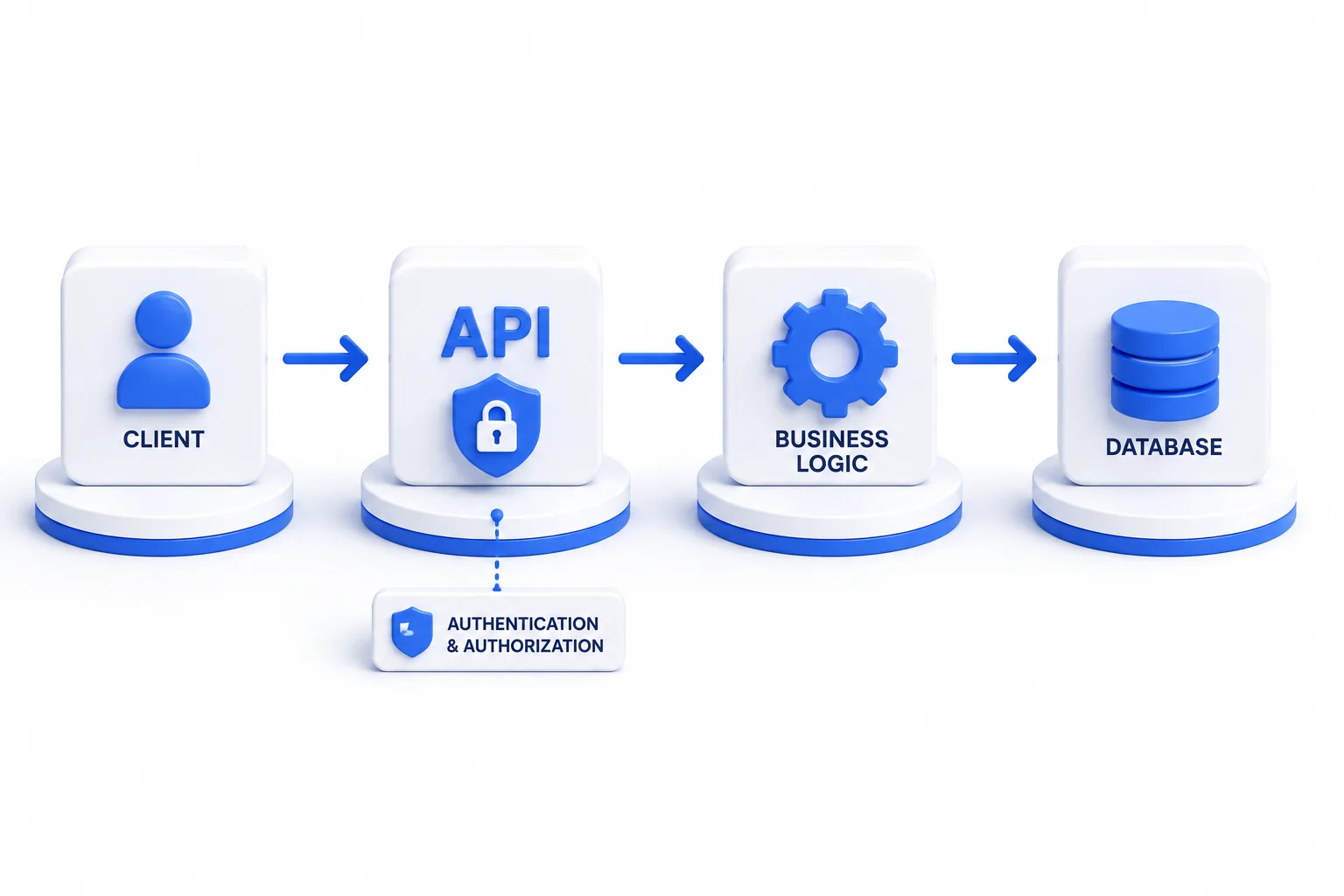
Build APIs Around Product Capabilities
A common mistake is designing APIs as direct reflections of database tables. Your database represents how information is stored. Your API should represent what the product can do. Consider POST /invoices/{id}/approve — that's a business capability. Behind that endpoint, the application might verify permissions, check invoice status, apply business rules, update the database, create an audit record, trigger a notification, and return the result. The client doesn't need to know how those operations are implemented. Your implementation can evolve while the capability remains predictable.
Security, Tenant Isolation, and AI Access
Authentication and Authorization. Every request should answer two questions: who is making this request, and are they allowed to perform this action? These rules belong on the server. Hiding a button in the frontend is not authorization. If a user isn't allowed to delete a project, the API should reject the request regardless of which client sends it.
Tenant isolation. In a multi-tenant SaaS product, having a subscription ID or tenant ID in the URL or request body doesn't mean the caller is authorized to access it. The server has to independently verify that the requesting user belongs to the tenant that owns the resource, and is allowed to perform that specific operation on it — not just that the ID "looks right." This applies to error messages and search results too: a lookup for another tenant's resource should fail the same way a nonexistent resource would, not leak whether it exists.
The same principle extends to AI. An AI agent calling your API needs its own identity and a scoped set of permissions — it shouldn't inherit blanket access just because it's acting on a user's behalf. Calling through an API doesn't automatically make an operation safe; for sensitive actions, that may mean requiring human confirmation before the action executes, and logging what the agent did and why, the same way you'd want an audit trail for a human operator. For the wider question of when an agent is the right design at all, see our guide to AI agents in production.
This isn't meant to be a complete security guide — just the parts specific to SaaS APIs that are easy to get wrong.
Errors, Retries, and Webhooks
Predictable errors. Matching the subscription example above: separate the HTTP status (404), the stable machine-readable code (RESOURCE_NOT_FOUND), and a human-readable message. Don't put internal details — stack traces, database error text, internal IDs — into an error response a client can see.
Retries on side-effecting operations. If an authorized client retries a cancel request after a timeout, the contract needs to define what happens — for example, returning the current state (200 OK with status: cancel_scheduled) instead of erroring. This doesn't guarantee exactly-once execution; it means the behavior on a repeated request is defined rather than left to chance.
Webhooks. For a subscription cancellation, a webhook can complement the API call by notifying other systems — billing, a partner integration, an internal dashboard — that the cancellation happened, without them having to poll. Webhook consumers need to verify the message actually came from you (typically via a signature), handle retries from your side without double-processing the same event, and de-duplicate by event ID. Delivery order and delivery guarantees depend on how you design the webhook system — don't assume events always arrive in order or exactly once unless the contract says so. This is enough to plan around for the subscription example; a full webhook implementation guide is outside the scope of this article.
Compatibility and Versioning
"Adding an optional field is safe" is a common rule of thumb, but it's an oversimplification. It's often lower-risk than changing an existing field's meaning — but a new optional field can still break a consumer with strict schema validation, and adding a new value to an existing enum can break a client that only handles the values it already knows about. Compatibility needs a real review, not a blanket rule.
| Change | Typical risk | Suggested approach |
|---|---|---|
| Adding a new endpoint | Low — existing consumers are unaffected | Document and ship; no coordination needed with existing clients |
| Adding an optional response field | Usually low, but not zero — strict client-side schema validation can reject unknown fields | Check whether known consumers validate responses strictly before assuming this is safe |
| Removing or changing a field's type | High — breaks any consumer reading that field | Treat as a breaking change; use versioning and a deprecation window |
| Changing what a status or operation means | High, and often silent — clients may not error, just behave incorrectly | Avoid changing meaning in place; introduce a new field, status, or version instead |
| Adding a new enum value | Medium — clients with an exhaustive switch/case on known values can fail or misbehave | Confirm consumers handle unknown enum values gracefully, or version the change |
When breaking changes become unavoidable, versioning is one migration path, not the whole plan. It should come with documented changes, a deprecation window that gives consumers real time to migrate, and a way to identify who is still calling the old version before you retire it. This applies to internal APIs too — an "internal" API can still have independent consumers (other internal teams, scripts, scheduled jobs) that won't tolerate being broken without notice, even without a formal compatibility commitment.
Don't Turn Everything Into an API
API-first can be overengineered too. Not every function needs an endpoint. Not every module needs to become a service. Every interface you expose creates additional requirements around security, testing, documentation, monitoring, maintenance, and compatibility. Create APIs around meaningful boundaries and capabilities. Keep implementation details internal. The goal isn't to build the largest API surface possible — it's to create the smallest set of stable contracts the product actually needs.
Why API-First Makes Integrations Easier
Most successful SaaS products eventually need to communicate with other systems. Without clear APIs, every integration can become a custom engineering project. With a stable API, external systems can interact with controlled product capabilities without needing access to internal implementation details. Instead of external systems reaching directly into your database, you want: External System → Authorized API → Business Logic → Data. The same security and business rules continue to apply.
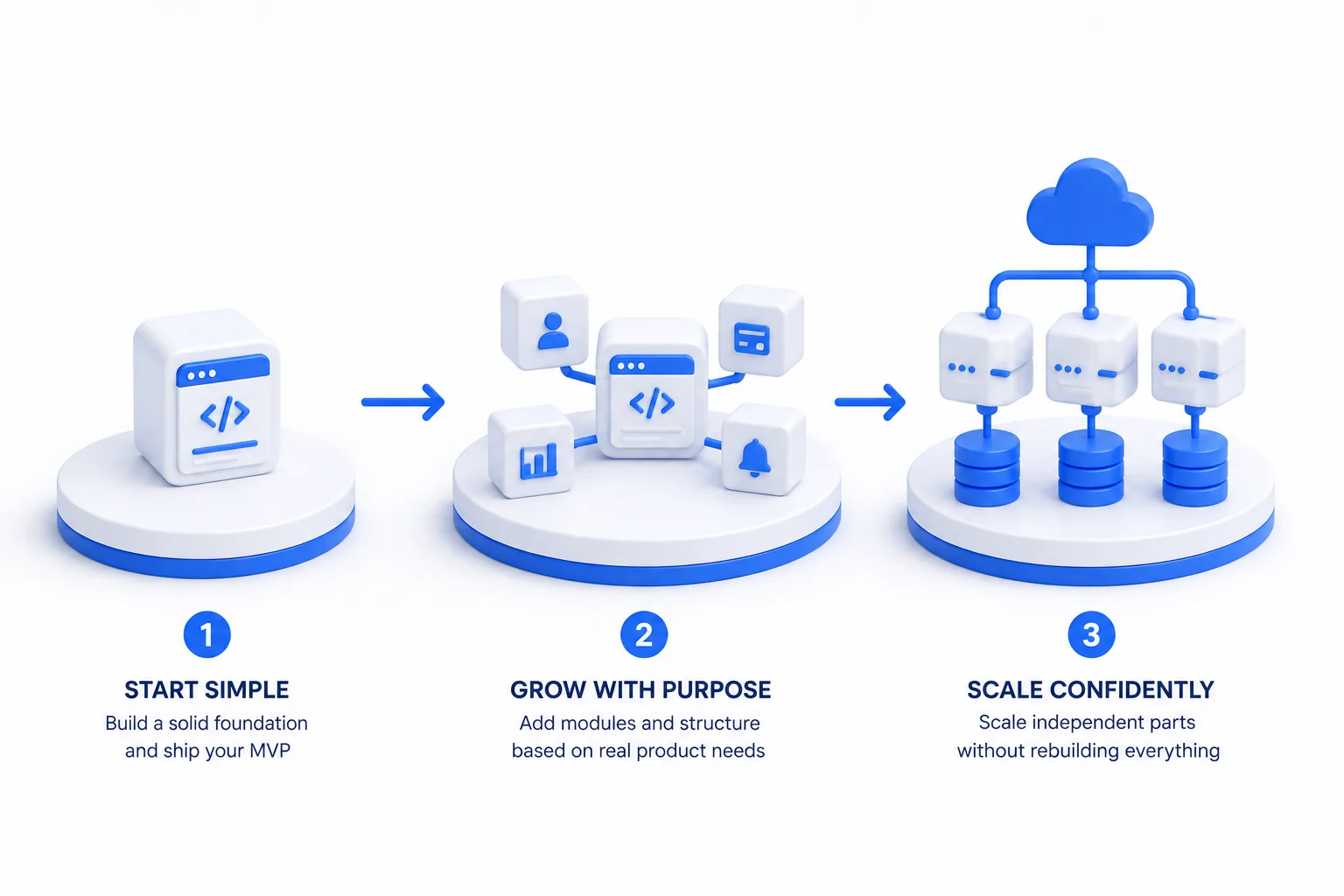
API-First Also Makes Your SaaS More AI-Ready
There is now another potential consumer of your APIs: AI. An AI agent might need to retrieve a customer record, create a support ticket, search documents, update a CRM, retrieve an invoice, or trigger a workflow. A well-designed API gives AI controlled access to specific capabilities. Instead of allowing an AI system to interact directly with your database: AI → Authorized API → Business Logic → Data. The application still controls permissions, validation, logging, and business rules — see the security section above for what that means specifically for an AI caller. If your product is considering AI capabilities that go well beyond calling existing APIs, that's a separate question worth reading about in when your business needs custom AI development. And if you're validating a new AI-powered workflow rather than hardening an existing product, our guide on building an AI MVP covers how to start smaller.
When Should You Introduce Microservices?
Not because they're popular. And not because you might have millions of users someday. Microservices become useful when the system has an actual reason to distribute responsibilities — for example: different scaling requirements (one workload needs significantly more resources), independent deployment (a team needs to release one component without coordinating with the whole), reliability isolation (failure in one capability should not affect another, provided shared dependencies don't undo that isolation), or clear team ownership (different teams own different business domains).
Until those pressures exist, a modular application may be much easier to build, deploy, monitor, and debug. A modular monolith is a legitimate alternative or intermediate step before microservices — not a failure to plan.
What a Scalable SaaS Architecture Needs
Scalability is the product's ability to handle more load at an acceptable level of service and cost — not a specific technology stack. Maintainability is how easily the product can be changed and kept working as requirements evolve. A strong SaaS foundation typically needs: clear API contracts (clients shouldn't depend on internal implementation details), centralized business logic (rules should behave consistently across clients), server-side security with real tenant isolation, predictable failures, observability, modular boundaries, and backward compatibility.
Notice what's missing. You don't automatically need Kubernetes, microservices, or ten databases. Good architecture isn't measured by how impressive the architecture diagram looks. It's measured by how safely the product can change — and confirming it can actually handle more load still requires looking at real bottlenecks and database performance, not just the shape of the API layer.
Checklist for Your First SaaS API
- Have you named the consumers and the one workflow this API version needs to support?
- Is the request/response contract, including error cases, written down before implementation starts?
- Does every request get checked for tenant membership and authorization on the server — not just authentication?
- Are error responses split into a stable status code, a machine-readable error code, and a safe human-readable message?
- Is the behavior on a retried, side-effecting request explicitly defined?
- Do you know which consumers are calling which endpoints, so a breaking change doesn't surprise anyone?
- Have you deliberately chosen a monolith, modular monolith, or microservices — rather than defaulting to whichever is trendiest?
Conclusion
API-first development isn't about predicting what your SaaS platform will look like five years from now. It's about creating boundaries that make future changes less expensive. Start simple. Define clear contracts. Keep business logic behind the API. Centralize security, including tenant isolation. Make failures predictable. Expose only what needs to be exposed. Then introduce complexity when real product requirements justify it.
A scalable architecture isn't one that starts complicated. It's one that can become more sophisticated without requiring the entire product to be rebuilt.
At Seawolf Intelligent Computing, we design and build production-grade APIs, SaaS platforms, and AI systems with architecture that can evolve alongside the product. Building a SaaS product — or dealing with an architecture that's becoming difficult to change? Discuss your SaaS API architecture and we'll help you think through the right boundaries.
Frequently Asked Questions
What does API-first actually mean in practice?
It means treating consumer needs, the API contract, and the API's lifecycle as core parts of product design — not something added after the application is built. In practice, that often means the contract (the shape of inputs, outputs, and error states) is written down and reviewed with consumers before the full implementation is built, which is different from saying no prototyping can happen first. Teams agree on what each endpoint returns and how it fails while that's still cheap to change, rather than after integration has begun.
Does API-first require microservices?
No. API-first is a design principle, not an architectural decision. You can build a fully API-first SaaS product as a well-structured monolith. For early-stage products, a modular monolith is often the right choice — clear internal boundaries without the operational complexity of distributed systems. Microservices are worth introducing when there's a specific, real reason: different scaling requirements, independent deployment needs, or clear team ownership boundaries — and even then, isolation benefits depend on not sharing databases or making synchronous calls between services for every request.
How should business logic be handled in an API-first architecture?
Essential business rules and access control belong behind the API, not solely in clients. If the web app decides whether a user can perform an action, that rule needs to be duplicated in every other client — mobile, integrations, AI agents — and enforced there too, or a client that skips the check can bypass it entirely. Centralizing the authoritative logic behind the API means one implementation, consistent behavior across all consumers, and a single place to audit and update rules. Clients can still validate input or show status locally for a better user experience; that's a UX convenience, not a substitute for the server-side check.
How do you handle API versioning without breaking existing clients?
Additive changes are often lower-risk, but not automatically safe — a new optional field can still break a client with strict schema validation, and a new enum value can break a client that only handles known values. Review each change against how your actual consumers parse responses. Breaking changes require a versioning strategy: introduce the new version, document what changed, give existing consumers a real deprecation window, and know who's still on the old version before retiring it. Note that an API version is a different thing from a model, prompt, or pipeline version in an AI feature — logging which model or prompt version produced a given response is useful for debugging, but that's not the same as an API contract commitment, and publishing a version number doesn't by itself guarantee the model's behavior stays consistent.
When does it make sense to expose a public API vs. keeping it internal?
Every public API surface creates ongoing maintenance obligations: security, documentation, backward compatibility, and support. Expose only capabilities that external consumers genuinely need. Internal APIs can change more freely, but "internal" doesn't mean no one else depends on it — other internal teams, scripts, or scheduled jobs may be calling it too, so changes still deserve some notice. If you're unsure whether a capability should be public, start internal and promote it later — the reverse is much harder once external clients depend on it.
Do internal SaaS APIs need OpenAPI documentation?
Often, yes, though the bar can be lower than for a public API. Even for internal-only endpoints, a written contract helps other teams integrate correctly and gives you a reference to check implementations against. It's reasonable to be less formal for a small internal endpoint with one known consumer than for something multiple teams or services depend on — but if more than one team relies on it, documenting the contract usually pays for itself quickly.