
ARTICLE 11 · 11 MIN READ
AI Agents in Production: When Agentic AI Works — and When a Workflow Is Better
"Agentic AI" is now one of the most searched terms in software, and almost every vendor claims to build agents. What's less often discussed is how many agent projects never make it out of the demo stage. This guide looks at what an AI agent actually is, when one is the right tool, where agents break in production, and what a production-ready agent needs before it touches real systems.
The gap between demos and production is real. Gartner predicts that over 40% of agentic AI projects will be canceled by the end of 2027, citing rising costs, unclear business value, and weak risk controls. The same analysis estimated that only around 130 of the thousands of vendors marketing "agentic" products offer genuine agent capabilities. Gartner calls the rest "agent washing": chatbots, RPA scripts, and assistants relabeled as agents. None of this means agents don't work. It means the decision to build one deserves more scrutiny than it usually gets.
What "Agentic" Actually Means
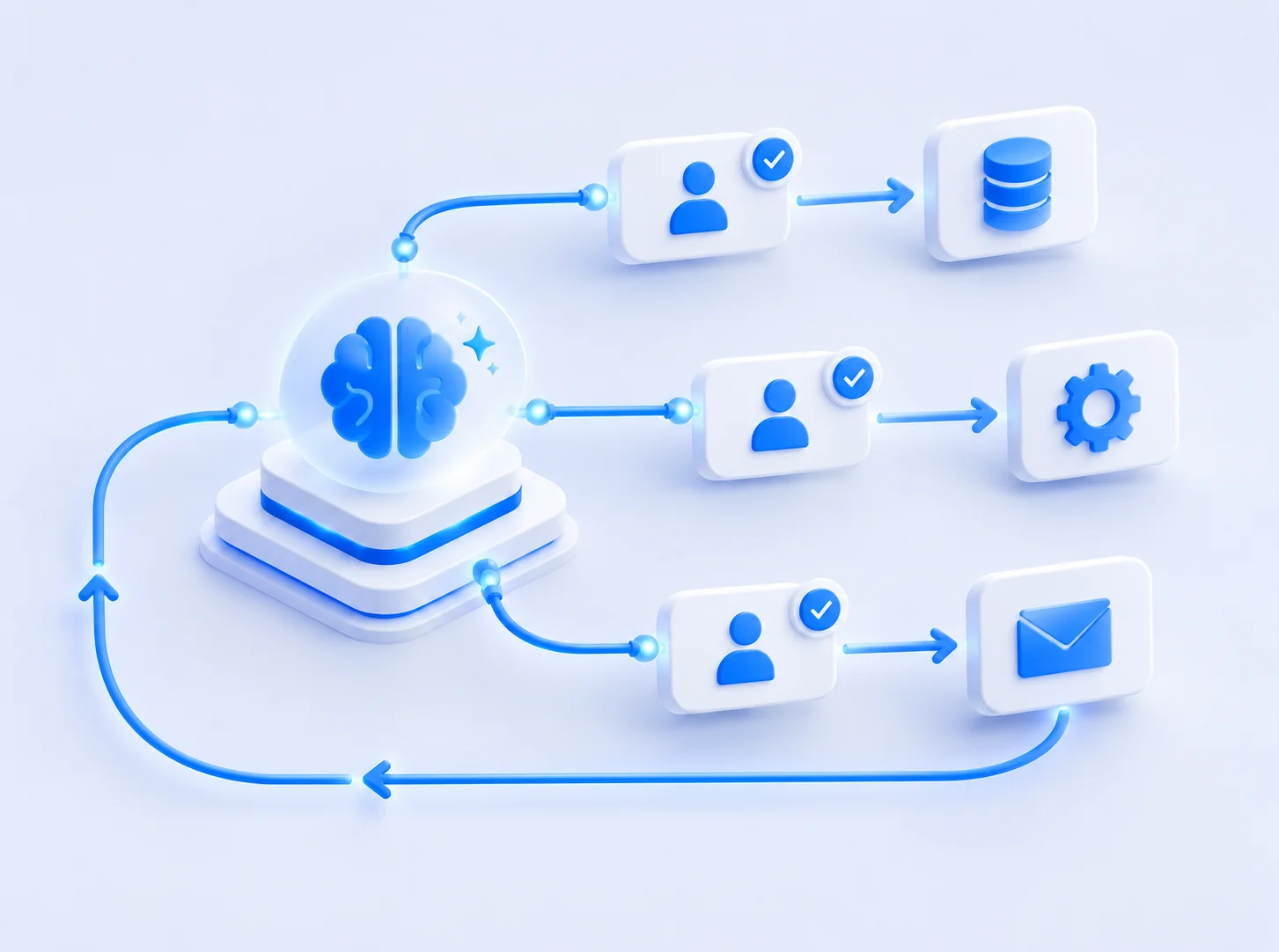
An AI agent is a system where a language model decides what to do next. It receives a goal, chooses a tool to call (search a database, call an API, read a document, send a message), looks at the result, and decides on the next step, repeating until it judges the task complete. The defining feature isn't intelligence. It's control: the model, not your code, chooses the path.
That's different from most AI features in production today. A support system that classifies incoming tickets and drafts a reply for a human to review uses AI, but your code decides the sequence. A model fills in two specific steps. Anthropic's widely cited guide on building agents draws exactly this line: workflows orchestrate models and tools through predefined code paths, while agents let the model direct its own process and tool use.
The distinction matters because it decides almost everything downstream: how predictable the system is, how you test it, how much it costs to run, and how much damage it can do when it's wrong.
Agent, Workflow, or a Single Model Call?
The most useful question isn't "should we build an agent?" but "what is the simplest design that solves this reliably?" In practice there are three levels, and most business problems are solved at the first or second.
| Approach | Use it when | Typical example | Main tradeoff |
|---|---|---|---|
| Single model call | One input, one output, no external actions | Summarize a document, extract fields from an invoice, classify a request | Limited to what fits in one step |
| Workflow | You can write down the steps in advance, even if some steps need judgment | Route a ticket, look up the customer, draft a reply, send it for approval | Less flexible when inputs vary widely |
| Agent | You can define the goal but not the path, and you can still verify the result | Investigate why an order failed across several systems and propose a fix | Harder to predict, test, and budget |
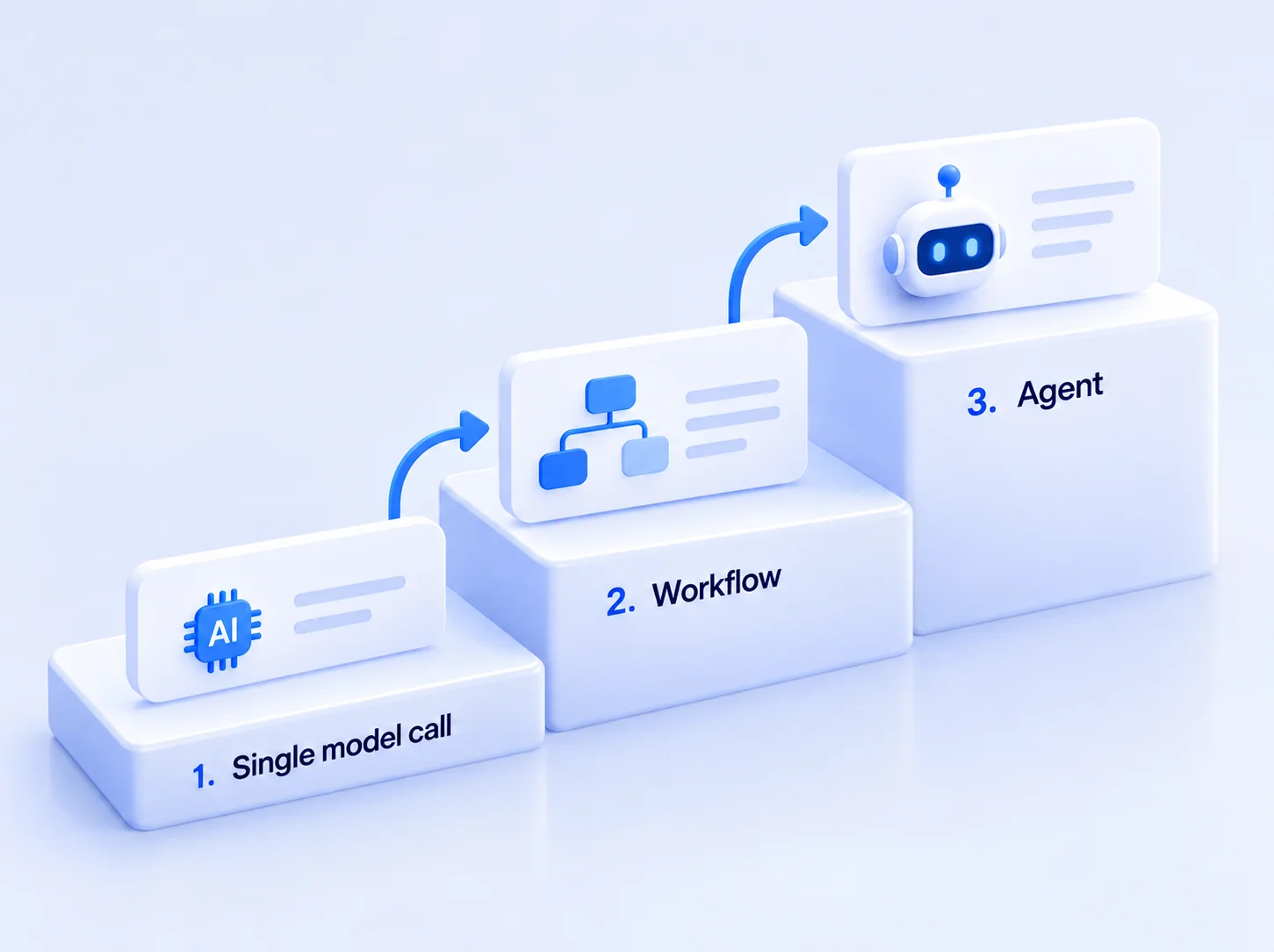
A simple rule of thumb: if you can draw the flowchart, build the workflow. Reach for an agent only when the right next step genuinely depends on what the previous step revealed, and the number of possible paths is too large to code by hand. Even then, the agent should be the smallest part of the system it can be, wrapped in ordinary, deterministic code.
This is the same principle we apply to any AI project, covered in more detail in our guide on when your business needs custom AI: define what "working" means before choosing a technique.
Where AI Agents Break in Production
Agents that look impressive in a demo often fail in predictable ways once they meet real data, real users, and real systems.
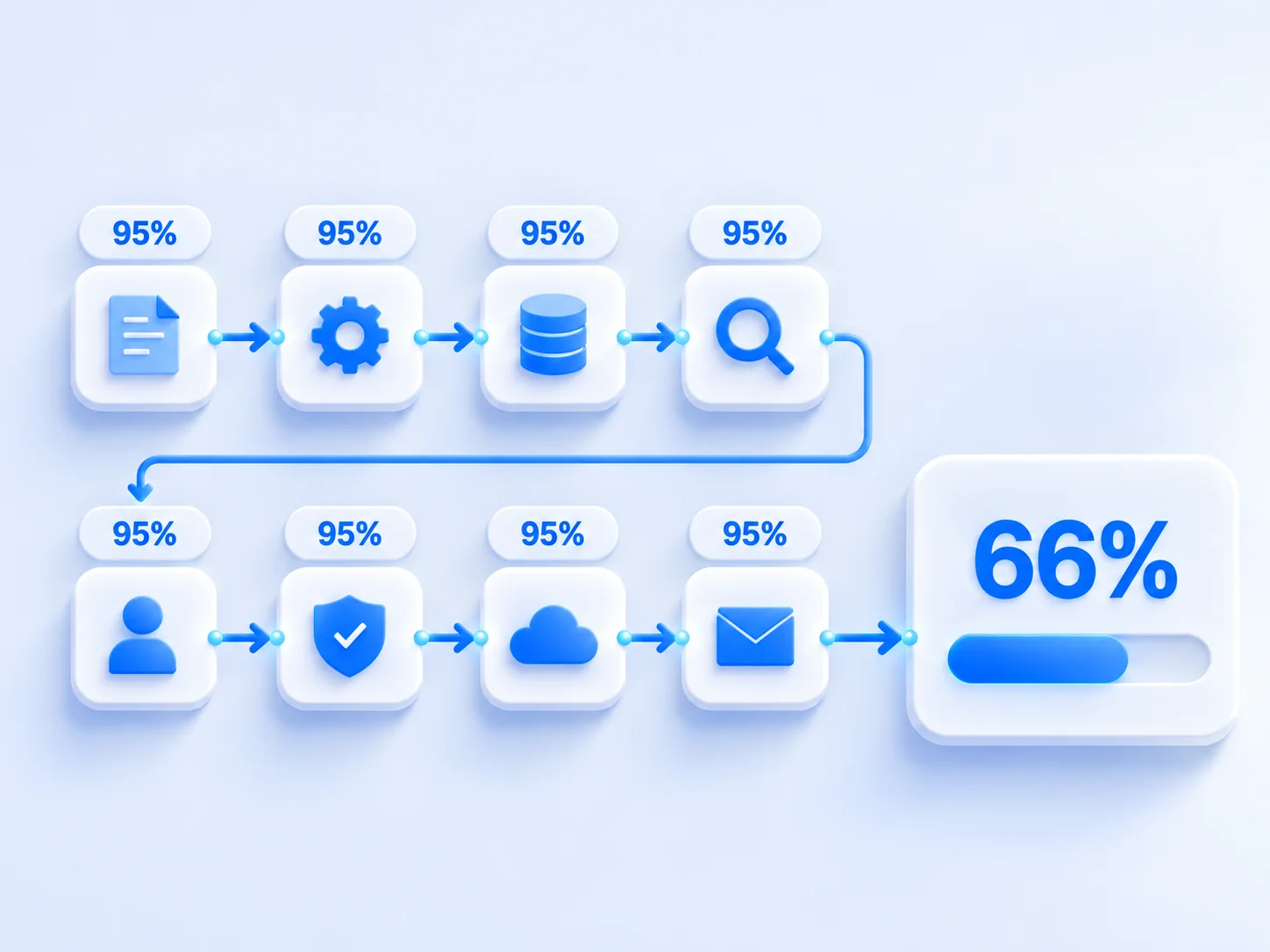
1. Errors Compound Across Steps
Every step an agent takes is another chance to go wrong. Suppose each individual step (choosing the right tool, passing the right arguments, interpreting the result) succeeds 95% of the time, which sounds good. Over an eight-step task, the chance that every step succeeds is 0.958, or about 66%. One in three tasks goes wrong somewhere. Longer tasks get worse quickly, and an early mistake can quietly send every later step in the wrong direction.
2. Tool Calls Fail in Ordinary Ways
Most agent failures aren't dramatic. The model calls the right API with a malformed date, misreads a paginated response, retries a payment call that already succeeded, or treats an error message as data. These are the same integration problems any software has, except the caller is now non-deterministic. Well-designed APIs with strict validation, clear errors, and idempotent operations matter even more when the client is a model. Our article on API-first development for SaaS covers why.
3. Costs Grow With Every Loop
A single model call has a predictable cost. An agent's cost depends on how many steps it decides to take, and an agent that gets confused may loop for a long time before giving up. Without step limits and cost tracking per completed task, monthly bills become hard to forecast, which is one of the main reasons Gartner gives for canceled projects.
4. Too Much Access, Too Little Oversight
An agent that can read your CRM, issue refunds, and email customers is effectively a new employee with broad permissions and no judgment about consequences. Prompt injection, where malicious instructions hidden in a document or email hijack the agent, turns that access into a security problem. The risk scales with what the agent is allowed to do, not with how clever the model is.
5. Nobody Can Say Whether It Works
The most common failure is the least technical: the team has no agreed definition of success and no way to measure it. Without an evaluation set, every change to a prompt or model is a guess, and the project drifts until someone loses confidence and stops it.
What a Production-Ready Agent Needs
None of these problems are reasons to avoid agents entirely. They're requirements. An agent ready for production usually has all of the following in place before launch, not after the first incident.
- An evaluation set. A collection of realistic tasks with known correct outcomes, including edge cases and tasks the agent should refuse. It runs on every change, so you know whether a new prompt or model made things better or worse.
- Narrow, well-defined tools. Give the agent a small number of specific tools ("look up order status") rather than broad ones ("run any SQL query"). Every tool should validate its inputs and return clear errors.
- Least-privilege access. The agent gets its own identity and only the permissions the task requires. Read access and write access are separate decisions.
- Human approval for consequential actions. Anything expensive, irreversible, or customer-facing starts with a human approval step. Remove it only for action types where the agent has a measured track record.
- Hard limits. Maximum steps per task, maximum cost per task, and timeouts, with a defined fallback when a limit is hit: hand off to a person, return a partial result, or stop cleanly.
- Full tracing. Every model call, tool call, input, and output is logged, so when something goes wrong you can see exactly which step failed and why.
- A failure-mode plan. A written answer to "what happens when the agent is wrong or unsure?" That includes how it signals low confidence and who takes over.
- Gradual rollout. Start in shadow mode (the agent proposes, humans act), then move to a small share of real traffic, and expand only as the metrics hold.
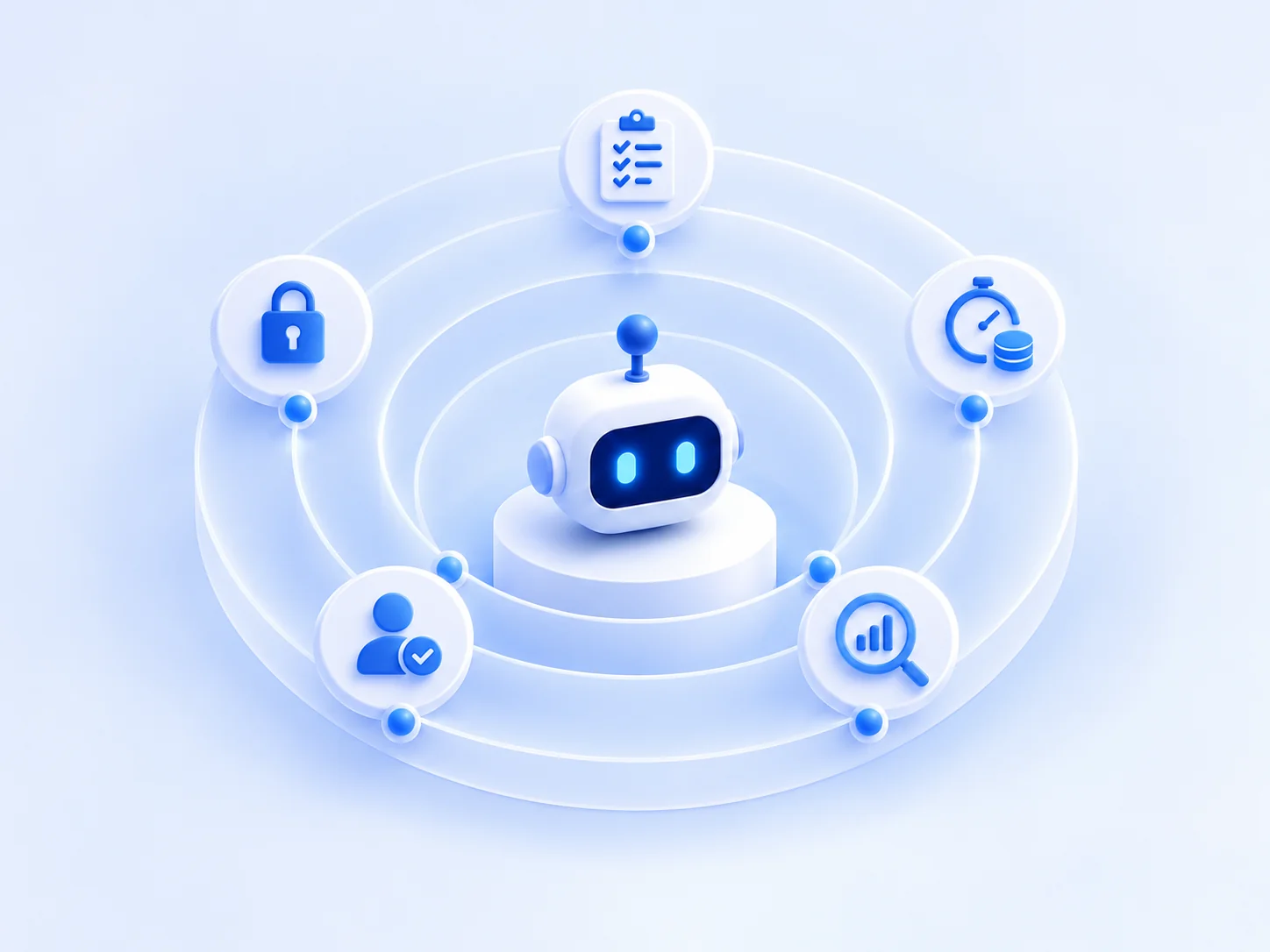
If this list looks like a lot of engineering around a small amount of AI, that's accurate. In production systems, the model is usually the smallest part of the codebase. The scaffolding around it is what makes it reliable.
A Go/No-Go Checklist Before You Build
Before committing a budget to an agent, it's worth answering these questions honestly. If several answers are "no" or "we don't know," a workflow or a narrower prototype is probably the better first step. Our guide on how to build an AI MVP covers how to start smaller.
- Can you describe the goal in one sentence and verify when it's achieved? If you can't check the result, you can't evaluate the agent.
- Have you tried writing the steps down? If you can, a workflow will likely be cheaper and more reliable.
- Do you have 50 or more real examples of the task, with correct outcomes? That's the starting point for an evaluation set.
- Do the systems the agent needs have APIs with proper permissions? An agent working through screen-scraping or shared admin credentials is a risk, not a shortcut.
- What is the cost of a wrong action? If it's high, plan for human approval from day one.
- Is the value per task larger than the cost per task? Estimate it with realistic step counts, not best-case ones. The cost drivers are covered in our guide to custom AI development cost.
- Who owns the agent after launch? Agents need monitoring and evaluation updates as data, tools, and models change.
How We Approach Agent Projects
We build AI systems that run in production, including agent-based ones, and we'll be honest about a pattern we see often: many requests for an "AI agent" are best solved by a well-designed workflow with one or two model calls inside it. When that's the case, we say so, because the simpler system is faster to build, cheaper to run, and easier to trust.
When an agent is the right tool, we set explicit go/no-go criteria before the build starts, build the evaluation set alongside the agent, and ship with limits, tracing, and a documented failure-mode plan. That's the same approach described on our services page, applied to systems where the model has more control.
Conclusion
AI agents are a real capability, not just a marketing label, but they are the most complex way to apply AI, not the default one. The projects that succeed tend to share a few traits: a clearly verifiable goal, the simplest architecture that works, narrow tools with tight permissions, an evaluation set from day one, and human oversight that is relaxed gradually based on evidence.
The projects that get canceled usually skipped one of those steps, most often by starting with "we need an agent" instead of "we need this problem solved."
If you're weighing an agent for a specific process and want a second opinion on whether it needs one, get in touch. The checklist above is a good place to start either way.
Frequently Asked Questions
What is the difference between an AI agent and an AI workflow?
In a workflow, your code decides the sequence of steps and the model fills in specific parts, such as classifying a request or drafting a reply. In an agent, the model decides which step to take next, which tool to call, and when the task is finished. Workflows are more predictable and easier to test; agents are more flexible but harder to control.
Why do so many agentic AI projects fail?
Mostly for reasons that have little to do with model intelligence: the task didn't need an agent, nobody defined what success looks like, there was no way to evaluate the agent before release, costs grew faster than expected, or the agent had more access to real systems than anyone was comfortable with. Gartner predicts that over 40% of agentic AI projects will be canceled by the end of 2027 for reasons like these.
Do AI agents need a human in the loop?
For any action that is expensive, irreversible, or customer-facing, yes, at least at first. A common pattern is to let the agent prepare an action and require human approval before it executes, then remove the approval step only for action types where the agent has a proven track record.
How do you test an AI agent before putting it in production?
Build an evaluation set of realistic tasks with known correct outcomes, including edge cases and tasks the agent should refuse. Run the agent against that set on every change to prompts, tools, or models, and track task success rate, cost per task, and how often it takes an unsafe or unexpected action. Then release gradually, starting with shadow mode or a small share of real traffic.
How much does it cost to run an AI agent?
It depends heavily on how many steps the agent takes per task, because every step is another model call. An agent that loops ten times on a task costs roughly ten times more than a single call. That's why cost per completed task, not cost per call, is the number to measure, and why a step limit is a basic production requirement.
Related reading: GDPR-compliant AI development: what to check before sending data to an LLM →