
OUR PRODUCT
iClock.online
Workforce management built for teams that can't afford payroll errors — attendance, leave, shifts, and reporting in one place. Works across time zones for international and distributed teams.
How it works
Set up your org
The system admin creates the organization and invites the org manager by email. The org manager then builds out the team — adding employees, defining shifts, and configuring company-wide rules for leave and attendance edits.
Employees clock in
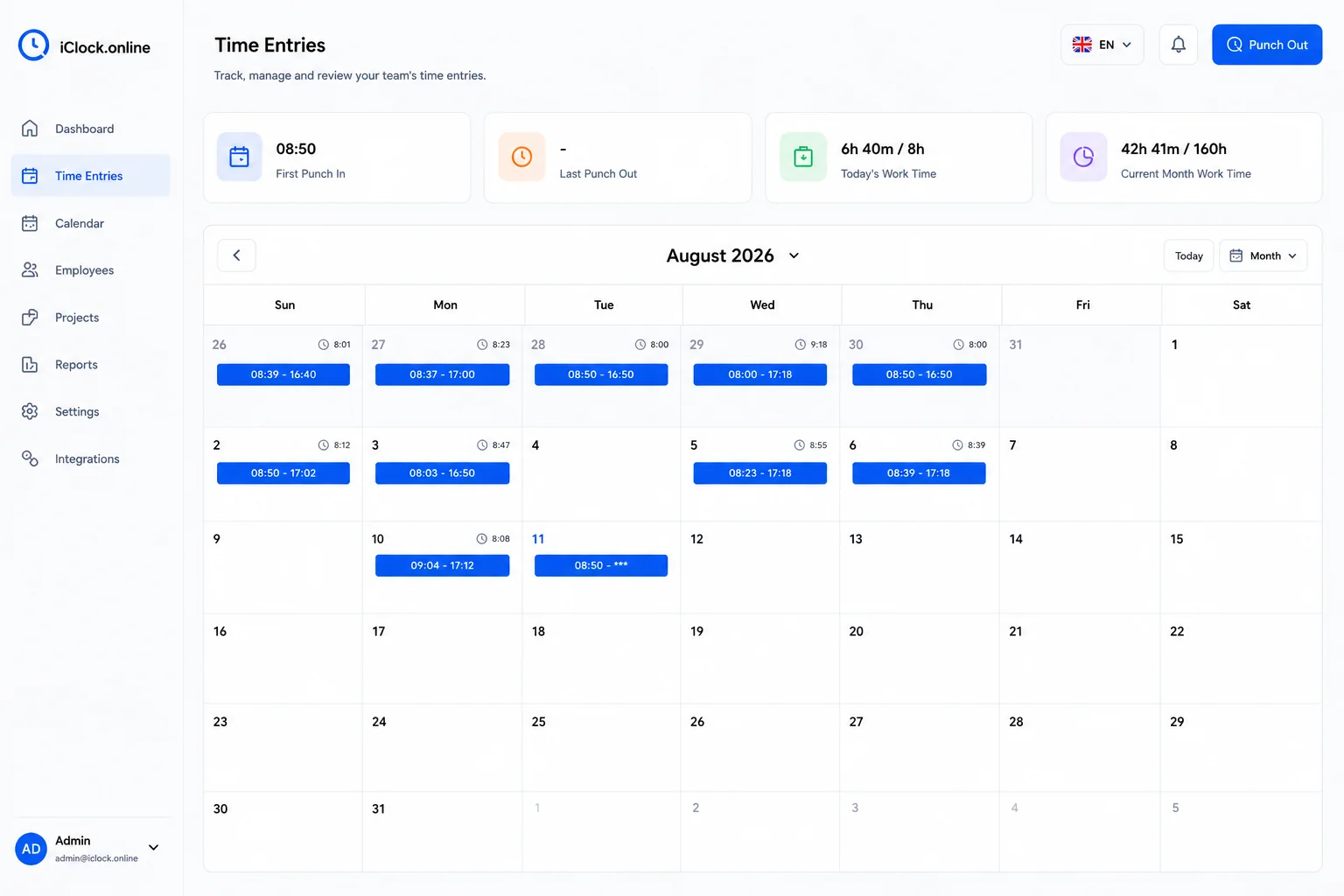
Employees clock in and out with one tap. If someone missed it, they can enter the time manually later — with configurable limits on how far back and how many times this is allowed, per employee or org-wide. Visual indicators flag anyone clocked in for multiple days without checking out.
Get the full picture
The live dashboard shows every employee's status in real time. A full dashboard gives managers hours worked, leave balances, deficit summaries, and colleague status — without downloading a single file. Reports export to Excel or ZIP-and-email in one click.
What it does
Attendance Tracking
Employees clock in and out with one tap. If someone forgot, they can enter the time manually later — with configurable limits on how far back and how many times this is allowed, per employee or org-wide. Multi-day sessions are color-coded so managers spot them instantly.
Leave Management
Hourly and daily leave requests with approval workflow. Managers can leave comments on requests. Employees and managers both see a full history — every request, edit, cancel, and comment — in one balance history view.
Shift Scheduling
Define shifts with custom rules, including off-shift allowances per employee or org-wide. Assign employees to shifts and let the system track deviations. Shifts inform how work-hour deficits and overtime are calculated in reports.
Reporting & Analytics
Employee-centric and project-centric reports. The live dashboard shows first clock-in, last clock-out, daily and monthly hours at a glance. Deficit summaries are calculated against shift rules. Export to Excel directly, or zip and email to yourself in one action.
Teams & Projects
Group employees into teams or assign them to projects. Reporting and colleague-status views respect these groupings — so managers see exactly what they're responsible for, and nothing they're not.
Colleague Status
See who's clocked in, on leave, or off-shift right now — without messaging anyone. Managers and teammates get a live activity view of the people they work with. No integrations, no pinging, no status updates to maintain manually.
Timezone-Aware Attendance
Each employee's clock-in and clock-out is recorded in their local time zone. Managers see attendance in each member's local context — no manual offset calculations, no confusion when a team spans multiple countries. Built for international and distributed teams from the ground up.
Three roles, clear boundaries
System Admin
Creates the organization and gets the org manager set up. This role lives at the platform level.
- Create organizations
- Invite org managers by email
- Platform-level configuration
Org Manager
Runs the organization day-to-day. Full visibility and control over employees, settings, and reporting.
- Add managers and employees
- Configure shifts, teams, projects
- Set company-wide rules and leave quotas
- Review and comment on leave requests
- Access full reporting dashboard
- Manually adjust leave balances
Employee
Simple, focused view. Clock in, request leave, see your own records — nothing more complicated than that.
- Clock in and out (auto or manual)
- View personal attendance history
- Submit and cancel leave requests
- See leave balance history
- View colleague status
vs. the alternatives
| Capability |
iClock.online
our product
|
Spreadsheets | Generic HR tools |
|---|---|---|---|
| Automatic + manual clock-in with edit limits | ✓ | — | partial |
| Visual flag for unclosed clock-ins (multi-day) | ✓ | — | — |
| Hourly + daily leave with full balance history | ✓ | manual | partial |
| Live colleague status view | ✓ | — | — |
| Deficit calculation against shift rules | ✓ | — | partial |
| Report export — Excel + zip-and-email | ✓ | manual | partial |
| Per-employee rule overrides | ✓ | — | — |
| Timezone-aware attendance for distributed teams | ✓ | — | partial |
Who it's for & pricing
Who it's for
- Operations managers running teams across shifts or multiple locations
- HR teams spending too much time reconciling attendance with payroll
- Companies moving off paper timesheets or Excel-based tracking
- Organizations that need a clear audit trail for attendance disputes
- International and remote-first teams with members across multiple time zones
Pricing
Subscription pricing based on the number of tracked employees. No per-feature add-ons, no surprise charges for API access.
- Volume pricing available
- All features included in every plan
- No setup or onboarding fees
Related reading: Employee time tracking software: a practical guide →
See iClock.online in action
We'll walk you through a live demo and answer every question you have about how it handles your specific workflows.