
ARTICLE 08 · 14 MIN READ
Freight Rate Management Software: From Carrier Rates to Invoice Review
Freight forwarders, 3PL providers, and transport operators often manage thousands of rates across multiple carriers, routes, shipment types, surcharges, and validity periods — arriving as PDFs, spreadsheets, CSVs, and carrier-specific templates. Freight rate management software is built to turn that mix into structured, usable pricing data. This article looks at how the pieces fit together — rate ingestion, calculation, quoting, and invoice review — what to check before assuming a step is fully automated, and where Fretara fits in.
Why Freight Pricing Is Hard to Manage
Freight pricing can look simple from the outside: find a carrier rate, add the required charges, apply a margin, send a quote. In practice, pricing teams have to account for carrier-specific tariffs, different trade lanes, weight breaks and pallet quantities, fuel and accessorial surcharges, minimum charges, routing conditions, rate validity dates, and multiple versions of the same carrier's rate sheet — often arriving in inconsistent formats.
When this is managed manually across spreadsheets and email attachments, a small mistake can carry through to the customer quote: an outdated rate can produce an uncompetitive price, a missed surcharge can quietly reduce margin, and a calculation error can create a billing dispute later. Freight rate management software, like Fretara, is designed to centralize this data and reduce the number of places a mistake can hide — not to remove the need for review entirely.
What Is Freight Rate Management Software?
Freight rate management software takes carrier rate files — commonly PDF rate sheets, Excel spreadsheets, CSVs, structured email attachments, and scanned documents processed with OCR — and converts them into structured, searchable pricing data. From there, that data can support rate calculation, quote generation, rate change detection, and invoice auditing.
Fretara is built around this idea for freight forwarders, 3PLs, and transport operators. It's positioned as a pricing layer that sits alongside existing TMS, CRM, and ERP systems — connecting to them via API rather than requiring a business to replace the tools it already uses. That's an important distinction to hold onto: "integrates with your TMS via API" describes an integration approach, not a claim that Fretara ships with a pre-built, zero-configuration connector to every specific TMS, CRM, or ERP product on the market. Which systems are actually supported out of the box, and what configuration work an integration needs, is worth confirming for your specific stack before assuming compatibility.
Rate Extraction Is Not the Same as Rate Calculation
It helps to separate two things that get blurred together in marketing language: extracting and normalizing rate data with AI, and calculating the final rate for a quote. These sit at different points in a longer workflow:
Ingest carrier file → Extract data → Validate → Apply configured pricing rules → Calculate → Review or publish quote
AI-assisted extraction is genuinely useful for pulling structured data out of inconsistent PDF, Excel, or CSV files — but AI extraction correctly parsing every table, footnote, contractual condition, and exception in a carrier's rate sheet isn't something to assume by default. Complex tariffs often include fine print — minimum charges under specific conditions, exceptions for particular commodities, seasonal surcharges — that benefits from a validation step before the data feeds into calculation. The rules used at the calculation stage (which surcharges apply, how weight breaks are handled, how margin is applied) should be explicit and reviewable, not a black box, so a pricing team can check why a given quote came out the way it did.
Rate Inputs: Why They Matter and What to Check
Whether you're evaluating a platform or reviewing your own current process, the following inputs are worth checking explicitly for every rate file, since a gap in any of them is a common source of pricing errors:
| Rate input | Why it matters | What to check |
|---|---|---|
| Weight / volume unit | Carriers may use kg, lb, cbm, or chargeable-weight rules differently | Confirm the unit matches your shipment data before comparing rates across carriers |
| Currency | Carrier rates are often quoted in a currency other than the customer's | Confirm which currency a rate is quoted in and how conversion, if any, is applied |
| Origin and destination | A lane is specific — the same carrier can have very different rates for adjacent routes | Verify the exact origin/destination pair matches the shipment, not just the region |
| Service type | Air, ocean (FCL/LCL), road, and expedited service each carry different rate structures | Confirm the quoted rate applies to the service type actually being booked |
| Validity date | Rates expire or get superseded by newer carrier files | Confirm the rate is still within its validity window at the time of quoting |
| Minimum freight | Small shipments are often charged a minimum regardless of calculated weight/volume | Check whether a minimum applies and whether it's been correctly triggered |
| Fuel and accessorial charges | These can materially change the final price and fluctuate independently of the base rate | Confirm current surcharge values are applied, not stale ones from an older file |
| Terms and exceptions | Contractual fine print (commodity exclusions, seasonal clauses) can override the standard rate | Review terms and exceptions directly rather than assuming AI extraction fully captured them |
This table is a starting point for evaluation, not a guarantee — whether a given platform supports every shipment type, service mode, and edge case in this list is something to confirm against your own lanes and carriers rather than assume.
Rate Validity, Missing Lanes, and Version Priority
Two related issues come up often once rate management moves from spreadsheets to structured files. First: a lane that's missing from a newly uploaded carrier file isn't automatically proof that the rate has been canceled — it can just as easily mean the new file is a partial update rather than a full replacement of the previous one. Whether a given upload is a complete refresh or an incremental change should be clear from the file itself or from how it's tagged, since acting on an assumption either way can create a wrong quote.
Second, when multiple rate files have overlapping validity periods — which happens when a carrier issues a correction or a new contract before the old one expires — there needs to be a clear rule for which version takes priority. A rate change shouldn't silently rewrite a quote that was already issued to a customer under a previous rate; that requires an explicit policy (e.g., honor the rate in effect at quote time, or a stated re-quote window), not an assumption that the system will "figure it out."
Automated change detection — flagging rate increases, decreases, missing lanes, and surcharge shifts between carrier file versions — is useful for surfacing what changed. It doesn't replace having an explicit versioning and validity policy for how those changes are applied to quotes already in flight.
Margin vs. Markup, With a Simplified Example
Margin and markup are related but different, and the difference matters when setting pricing rules. Markup is a percentage added on top of cost. Gross margin is the percentage of the final sell price that is profit. The same target percentage produces a different sell price depending on which one you mean:
- Cost of 100, with a 20% markup → sell price of 120 (100 × 1.20).
- Cost of 100, with a 20% target gross margin → sell price of 125 (100 ÷ 0.80, so that 20% of the 125 sell price — 25 — is profit).
This is a simplified, hypothetical example to illustrate the difference — it doesn't account for taxes, currency conversion, or additional costs that a real quote would need to include. Whether a pricing platform's "margin rules" are configured as markup or as gross margin is a setting worth confirming explicitly, since the two produce different prices from the same target percentage.
More broadly, a rate management platform calculating a rate consistently from configured rules is not the same as a guarantee that every resulting quote is "accurate," that margin is automatically "protected," or that using the software will increase profit. The actual outcome depends heavily on the quality of the underlying carrier data, how the pricing rules and margin settings are configured, and whether someone reviews a quote before it goes out — not on the software alone. A calculable rate also isn't a guarantee of carrier capacity, a booking, or that a carrier will accept the shipment at that rate; rate calculation and booking confirmation are separate steps.
Quoting and Sales Workflows
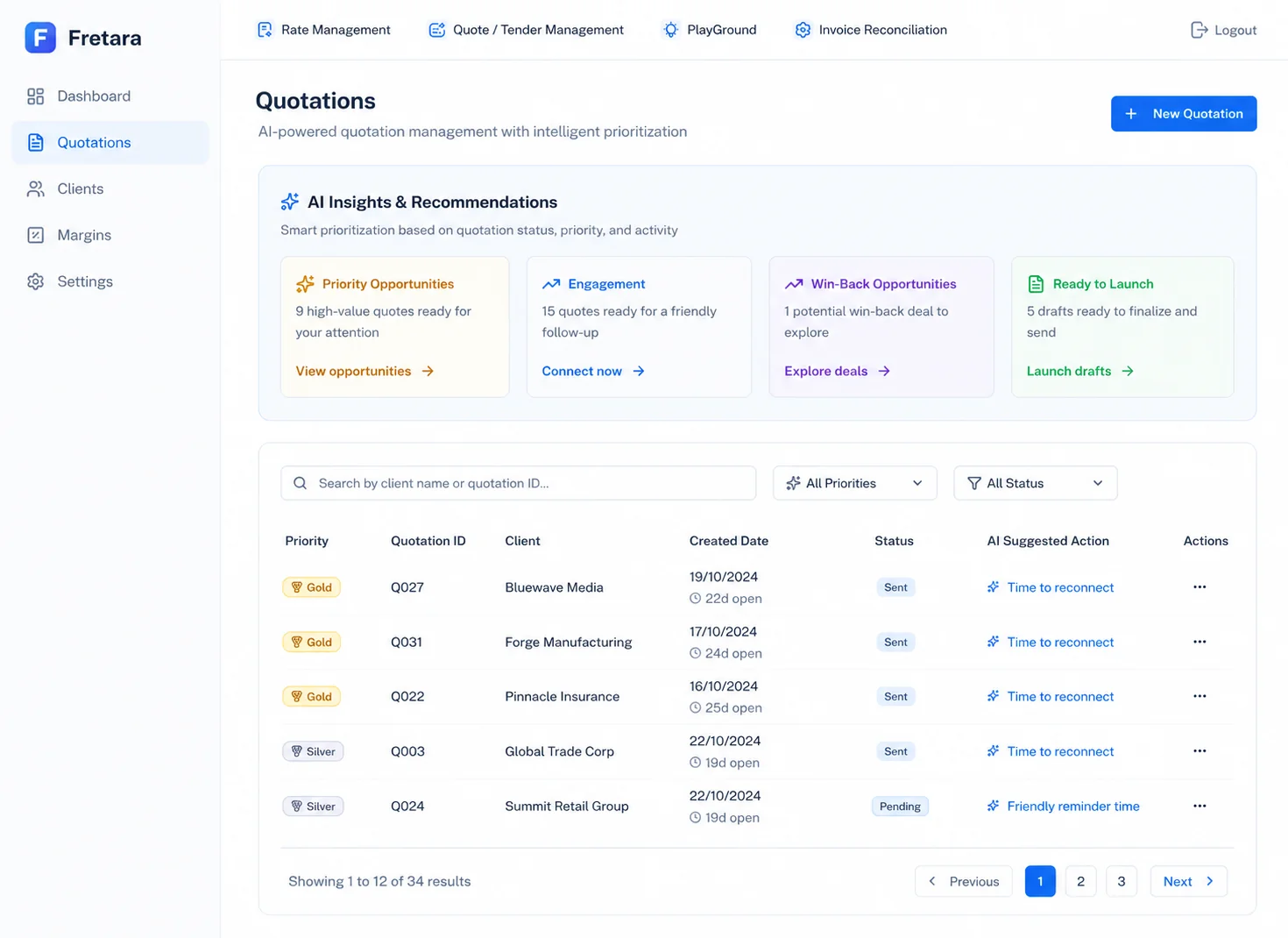
Once rates are validated, they can be used to generate customer-ready quotes — comparing carrier options, applying surcharges, and incorporating configured margin rules, which can help a sales team respond faster than manually searching spreadsheets. Fretara's own materials describe an AI Sales Agent that handles quote requests, plus AI-driven prioritization to help identify quote and sales opportunities that may need follow-up.
Where this needs a more careful read is the specific customer-facing channels a sales workflow connects to. Fretara's marketing copy describes connecting quoting to websites, WhatsApp, customer portals, or live-agent systems — but the product's own feature and workflow description centers on an "AI Sales Agent" handling requests, without independently detailing each of those specific channel integrations. Similarly, tender management is described as something the platform's validated rate data can support, but it isn't listed as a distinct, independently detailed shipped feature elsewhere on the product's own materials. Before relying on any of these for a specific deal, it's worth confirming directly:
- Which specific channels (website, WhatsApp, customer portal, live-agent handoff) are live today for your account, versus available as a custom integration or on a roadmap?
- What tender management actually covers — is it a distinct workflow with its own tooling, or a description of how validated rate data can be applied manually to a tender/RFQ process?
- How AI-driven sales prioritization ranks opportunities — what signals feed it, and does a human still review the ranking before acting on it?
Invoice Review: A Discrepancy Needs a Look, Not a Verdict
Comparing a final carrier invoice against the agreed rate, the quote, and shipment history is a useful check — but a flagged discrepancy is a prompt to review, not proof that a customer or carrier was overcharged. Legitimate reasons for a mismatch are common: a shipment's actual weight or dimensions may have differed from what was quoted, an accessorial service may have been added after the quote (e.g. a redelivery attempt or additional handling), or a contract term or exception may apply that wasn't visible in the original comparison.
A short hypothetical example: a quote is issued based on a shipment of 500 kg. At pickup, the actual weight is recorded as 640 kg, and the carrier's invoice reflects the higher chargeable weight plus a corresponding fuel surcharge adjustment. Flagged against the original quote, this looks like a discrepancy — but reviewing the weight documentation shows it reflects an actual, legitimate difference in the shipment, not a billing error. This is illustrative only; no real invoice, customer, or recovered amount is implied.
The practical path is: flag the discrepancy, pull the shipment record and any accessorial documentation, and confirm whether the difference is explained by the shipment itself, a contract term, or an actual invoicing error — in that order, before treating anything as overcharging.
Integrations and Feature Status
Summarizing where things stand, based on what's independently described in the product's own feature and workflow materials versus broader marketing language:
- Rate ingestion and normalization (PDF, Excel, CSV, structured email attachments, scanned/OCR documents), rate calculation, rate change detection, quote generation, and AI invoice audit are described as core, current capabilities.
- Integration with TMS, CRM, and ERP systems is described as working via API, alongside existing tools — confirm which specific systems have ready integrations versus requiring custom integration work for your stack.
- Tender management as a distinct feature, and specific sales channels (WhatsApp, customer portals, website widgets, live-agent handoff) are referenced in broader product messaging but aren't independently itemized in the core feature/workflow list — treat these as needing direct confirmation for your use case rather than assumed out of the box.
Who Can Benefit
Freight Forwarders
Manage complex carrier pricing and reduce manual rate lookups across multiple lanes and shipment types.
3PL Providers
Centralize pricing information across carriers and improve visibility into logistics costs and margin performance.
Transport Operators
Centralize contract rates and reduce reliance on manual spreadsheet calculations.
Pricing & Tender Teams
Work from structured rate data across many lanes and pricing variables — confirm tender-specific tooling directly if that's central to your workflow.
Conclusion
Freight rate management software is most useful when the workflow stages stay distinct: rate extraction and normalization is not the same as rate calculation, a calculated rate is not a guarantee of accurate quotes or protected margin, and an invoice discrepancy is a prompt for review rather than a finding of overcharging. Fretara, part of Seawolf's product portfolio, is built around ingesting carrier rate files, calculating rates from configured rules, generating quotes, and auditing invoices against agreed terms — with integration into existing TMS, CRM, and ERP systems via API rather than a full replacement of them.
Have a freight pricing workflow you're evaluating? Explore Fretara →
Frequently Asked Questions
Does AI rate extraction guarantee correct pricing?
No. AI-assisted extraction helps convert inconsistent PDF, Excel, and CSV rate files into structured data, but it doesn't guarantee that every table, footnote, contractual condition, or exception was captured correctly. The calculation rules applied afterward should be explicit and reviewable, and it's worth spot-checking extracted data against the source file, particularly for complex tariffs.
If a lane is missing from a new carrier rate file, does that mean the rate was canceled?
Not necessarily. A missing lane can mean the rate was withdrawn, or it can mean the new file is a partial update rather than a full replacement of the previous rate sheet. Confirm whether an upload is a complete refresh or an incremental change before assuming a lane's rate no longer applies.
What's the difference between margin and markup?
Markup is a percentage added on top of cost (cost 100, 20% markup → sell price 120). Gross margin is the percentage of the final sell price that is profit (cost 100, 20% target margin → sell price 125). The same target percentage produces different prices depending on which one is used, so it's worth confirming how a platform's margin rules are actually configured.
Does an invoice discrepancy mean a carrier overcharged us?
Not on its own. A discrepancy between an invoice and the original quote can come from a legitimate change — actual shipment weight or dimensions differing from what was quoted, an added accessorial charge, or a contract exception — rather than a billing error. Treat a flagged discrepancy as something to review against shipment records before concluding it's an overcharge.
Does Fretara connect to any TMS, CRM, or ERP automatically?
Fretara is described as integrating with TMS, CRM, and ERP systems via API, working alongside them rather than replacing them. That's an integration approach, not a claim of a pre-built, zero-configuration connector to every specific system on the market — confirm what's supported for your particular stack before assuming compatibility.